
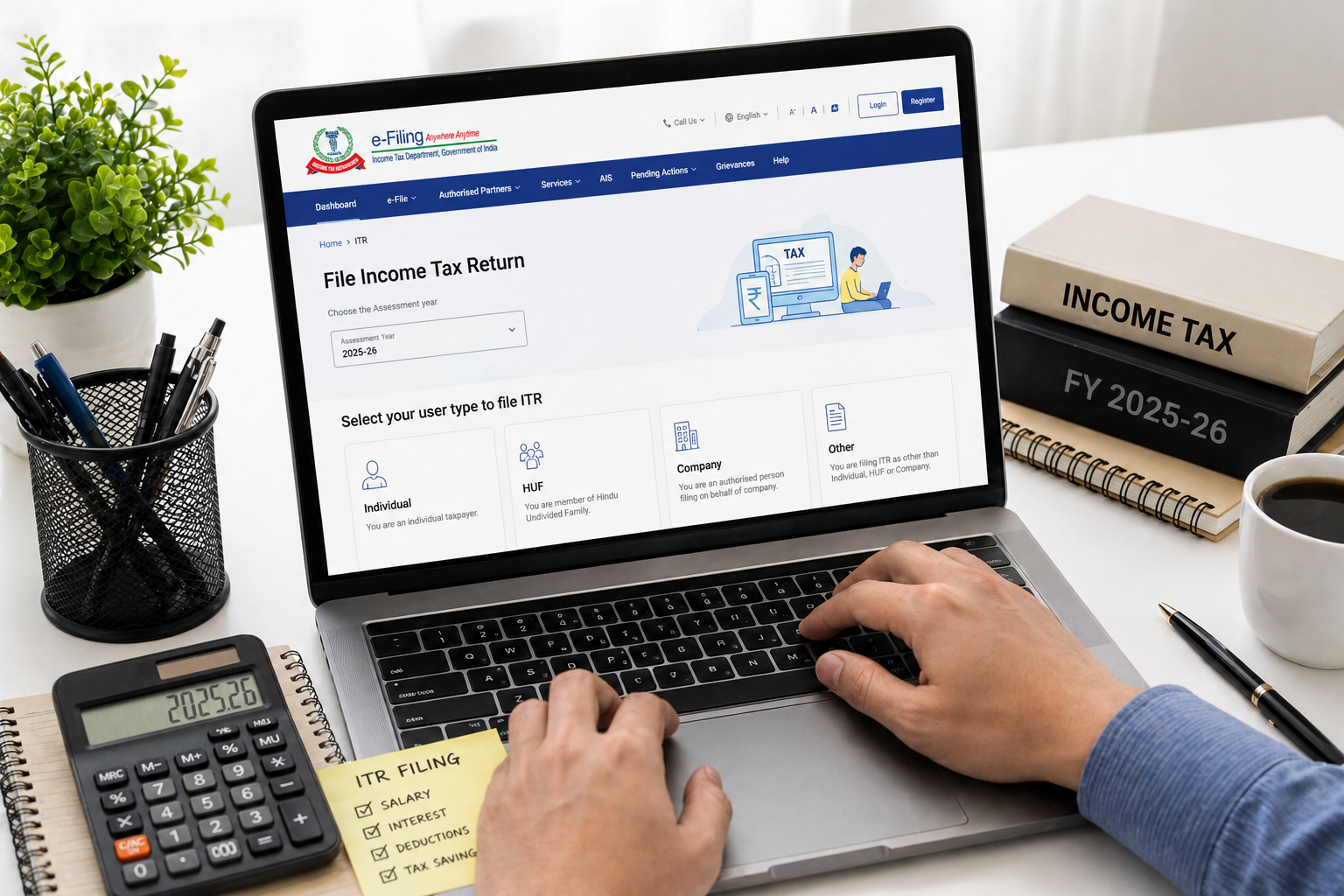
Tax season is here and if you’re like most people I know, the thought of filing your Income Tax Return (ITR) makes you want to put it off until the last possible minute. But here’s the thing — filing ITR online in 2026 is actually much simpler than it used to be. The Income Tax Department has made serious improvements to its e-filing portal, and if you follow this guide step by step, you can be done in under an hour.
In this guide, I’ll walk you through exactly how to file your ITR online for FY 2025-26 (that’s April 2025 to March 2026), which falls under Assessment Year 2026-27. Whether you’re a salaried employee, a freelancer, or a small business owner, this guide covers it all.
📅 Important Dates for ITR Filing (AY 2026-27)
| Category | Last Date to File ITR |
|---|---|
| Individuals & HUFs (no audit required) | 31 July 2026 |
| Businesses requiring audit | 31 October 2026 |
| Transfer pricing cases | 30 November 2026 |
| Belated / Revised ITR | 31 December 2026 |
Don’t miss the July 31 deadline! Filing after this date attracts a late fee of ₹1,000 (if income is up to ₹5 lakh) or ₹5,000 (if income exceeds ₹5 lakh) under Section 234F.
📋 Which ITR Form Should You Use?
This is where most people get confused. Here’s a simple table to help you pick the right form:
| ITR Form | Who Should File |
|---|---|
| ITR-1 (Sahaj) | Salaried individuals with income from salary, one house property, and other sources (interest etc.) — total income up to ₹50 lakh |
| ITR-2 | Individuals with income from salary + capital gains, or more than one house property, or foreign income/assets |
| ITR-3 | Individuals & HUFs with income from business or profession |
| ITR-4 (Sugam) | Individuals, HUFs, and firms opting for presumptive taxation under Section 44AD/44ADA/44AE |
If you’re a regular salaried employee with no other major income sources, ITR-1 is almost certainly your form.
📁 Documents You’ll Need Before You Start
Keep these handy before you begin:
- PAN card number
- Aadhaar card number (must be linked to PAN)
- Form 16 (issued by your employer — shows salary and TDS details)
- Form 26AS and Annual Information Statement (AIS) — download from the e-filing portal
- Bank account details (account number + IFSC code)
- Interest certificates from your savings account / fixed deposits
- Investment proofs for deductions (80C, 80D, HRA, etc.)
- Home loan statement (if applicable)
🖥️ Step-by-Step Guide to File ITR Online
Step 1: Log In to the Income Tax e-Filing Portal
- Open your browser and go to incometax.gov.in
- Click on “Login” at the top right corner
- Enter your PAN number as the User ID
- Enter your password and complete the captcha
- Click “Continue”
First time? Click “Register” instead and complete the registration using your PAN, Aadhaar, and mobile number.
Step 2: Check Your AIS and Form 26AS
Before filing, always verify your income details. This is a step many people skip and then face notices later.
- After logging in, go to e-File → Income Tax Returns → View Form 26AS
- Also check your Annual Information Statement (AIS) under the “Services” tab
- Cross-check TDS entries, interest income, and dividend income with your own records
If there’s a mismatch, contact your employer or bank to get it corrected before filing.
Step 3: Start Filing Your ITR
- Click on e-File from the top menu
- Select Income Tax Returns → File Income Tax Return
- Select Assessment Year: 2026-27
- Select Mode of Filing: Online
- Click Continue
Step 4: Select the Right ITR Form
- The portal may suggest a form based on your profile — review it carefully
- Select the appropriate ITR form (most salaried individuals should select ITR-1)
- Click “Let’s Get Started”
- Select your reason for filing (most common: “Taxable income is more than basic exemption limit” or “To claim refund”)
Step 5: Pre-fill and Verify Your Details
The portal pre-fills data from your Form 26AS, AIS, and employer-reported details. You need to review and confirm:
- Personal Information: Name, PAN, Aadhaar, address, email, phone — verify everything
- Gross Total Income: Salary, house property income, other sources
- Tax Regime: Choose between Old Tax Regime and New Tax Regime (see below)
Step 6: Choose Your Tax Regime
For FY 2025-26, you can choose between:
| Feature | Old Tax Regime | New Tax Regime (Default) |
|---|---|---|
| Tax Slabs | Higher rates with deductions | Lower rates, fewer deductions |
| Standard Deduction | ₹50,000 | ₹75,000 |
| HRA Exemption | Available | Not available |
| 80C Deductions | Up to ₹1.5 lakh | Not available |
| Best for | People with high investments/HRA | People with fewer deductions |
The new tax regime is now the default. If you want to switch to the old regime, you must select it explicitly while filing.
Step 7: Enter Deductions (Old Regime Only)
If you’ve chosen the old tax regime, enter your deductions under:
- Section 80C: LIC, PPF, ELSS, EPF, home loan principal, NSC — up to ₹1.5 lakh
- Section 80D: Health insurance premiums — up to ₹25,000 (₹50,000 for senior citizens)
- Section 80TTA/80TTB: Savings account interest
- HRA: House Rent Allowance exemption (if not already reflected from Form 16)
- Section 24(b): Home loan interest — up to ₹2 lakh
Step 8: Review Tax Computation
- The portal automatically calculates your tax liability
- Review the Tax Summary page — it shows your gross income, deductions, taxable income, tax payable, and TDS already deducted
- If TDS exceeds tax payable, you’ll see a refund amount
- If tax payable exceeds TDS, you’ll need to pay the remaining tax as Self-Assessment Tax before filing
Step 9: Pay Self-Assessment Tax (If Any)
If you have additional tax to pay:
- Go to e-Pay Tax on the portal
- Select Challan 280
- Choose Self-Assessment Tax (300) as the payment type
- Enter the amount and pay via net banking or UPI
- Note the BSR code and Challan Serial Number — you’ll need to enter these back in your ITR
Step 10: Verify Bank Account for Refund
- Add your bank account details if not already done
- Mark one bank account as primary for refund
- Make sure the account is pre-validated on the portal
Step 11: Submit Your ITR
- Review all details one final time on the Preview page
- Click “Submit”
- You’ll receive an Acknowledgement Number (ITR-V)
- Download and save your ITR-V — this is your proof of filing
Step 12: E-Verify Your ITR (Most Important Step!)
Submitting your ITR is not enough — you must e-verify within 30 days, otherwise your return is considered not filed.
Ways to e-verify:
- Aadhaar OTP (easiest — instant) — most recommended
- Net banking — login via your bank and verify
- Demat account EVC
- Bank account EVC
- Send physical ITR-V to CPC Bangalore by speed post (takes longer)
To e-verify via Aadhaar OTP:
- Go to e-File → Income Tax Returns → e-Verify Return
- Select “Generate Aadhaar OTP”
- Enter the OTP received on your Aadhaar-linked mobile number
- Done! You’ll get a confirmation message
✅ Once verified, your ITR filing is complete. You’ll receive a confirmation on your registered email and mobile.
💰 What Happens After Filing?
- You’ll receive an intimation under Section 143(1) once the IT department processes your return (usually within 15–45 days)
- If you’re owed a refund, it will be credited to your bank account — typically within 7–30 working days after processing
- You can track your refund status at tin.tin.nsdl.com or directly on the e-filing portal
❌ Common Mistakes to Avoid
- Not verifying your ITR — the most common reason returns are treated as invalid
- Wrong ITR form — always double-check which form applies to you
- Skipping AIS verification — mismatches trigger notices from the IT department
- Not reporting all income — bank interest, dividend, freelance income must all be disclosed
- Wrong bank account details — causes refund failures
- Filing after the due date — late fees and interest under Section 234A
❓ Frequently Asked Questions (FAQ)
Q: Is it mandatory to file ITR if my income is below ₹2.5 lakh?
Generally no, but it’s still advisable to file if you had TDS deducted (to claim refund), if you want to apply for a visa or loan, or if you had foreign income or assets.
Q: Can I file ITR without Form 16?
Yes! You can file using your salary slips, Form 26AS, and AIS. Form 16 makes it easier, but it’s not mandatory.
Q: What if I made a mistake in my filed ITR?
You can file a Revised Return any time before December 31, 2026 (for AY 2026-27). Go to e-File → Income Tax Returns → File Income Tax Return, and select “Revised Return.”
Q: Can I switch between old and new tax regime every year?
Salaried individuals (without business income) can switch between the two regimes every year while filing their ITR. Business owners can only switch once.
Q: How do I check my ITR filing status?
Login to incometax.gov.in → e-File → Income Tax Returns → View Filed Returns. You’ll see the status of all your past returns.
Q: What is the penalty for not filing ITR?
If your income exceeds ₹2.5 lakh and you don’t file by December 31 (belated return deadline), you may face prosecution under Section 276CC, plus interest under Section 234A. Late fees under Section 234F apply even before that.
Q: Is ITR filing free?
Yes! Filing directly on the Income Tax Department’s official portal (incometax.gov.in) is completely free. You only need to pay if you use a third-party CA or paid tax filing service.
📞 Need Help?
If you get stuck at any step, you can reach the Income Tax helpdesk at:
- Phone: 1800-103-0025 or 1800-419-0025 (toll-free)
- Email: webmanager@incometax.gov.in
- Live chat: Available on the e-filing portal
Filing your ITR doesn’t have to be stressful. Take it one step at a time, keep your documents handy, and you’ll be done before you know it. And remember — the earlier you file, the faster your refund arrives!
Have questions about a specific step? Drop them in the comments below and I’ll help you out.